-
Shop
- Advanced Technologies
- AI Career Advantage Collection
- AI Skills Mastery 2026 Collection
- Arts, Crafts & Hobbies
- Bathroom
- Best-Sellers
- Car Accessories
- Dating & Social Skills
- Denim
- 7FOR
- AGOLDE
- Antony Morato
- Armani Exchange
- Boss
- Brunello Cucinelli
- Calvin Klein Jeans
- Costume National
- Desigual
- Diesel
- Dolce & Gabbana
- Dsquared²
- Ermanno Scervino
- Fendi
- Gianni Lupo
- Guess Jeans
- Ichi
- Just Cavalli
- Lee
- Levi's
- Liu Jo
- Morgan De Toi
- Mother Denim
- Only
- Pepe Jeans
- Pinko
- Replay
- Valentino
- Vero Moda
- Digital Resources
- Education & Learning
- Family & Parenting
- Fashion
- Furniture
- Gadgets
- Health & Beauty
- Health & Wellness
- Home & Garden
- Kids & Babies
- Kitchen
- Lighting
- Patio, Lawn & Garden
- Personal Growth
- Pet Care
- Pet Supplies
- Pets
- Sport & Outdoors
- TikTok Growth & Monetization Mastery
- Travel
- Wealth
- Popular
- Best deals
Hall Effect Trigger Wireless Controller: Smoother, Steadier Pull
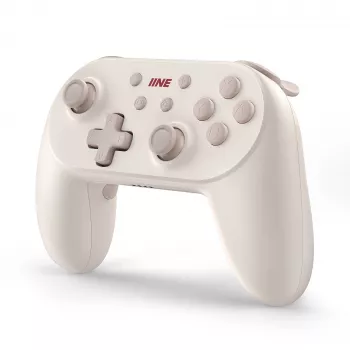
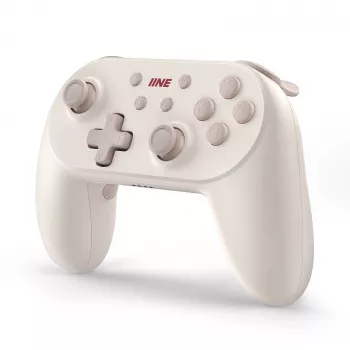
Wireless Controller with Hall Effect Triggers: Smoother Pull, Better Control
A controller’s triggers and sticks decide how consistent aiming, acceleration, and braking feel over months of play. Hall effect triggers use magnetic sensing instead of physical contact to track pull distance, helping maintain stable input with less wear. This guide breaks down what that changes in real gameplay, what to look for in wireless performance and comfort, and how to set it up for reliable results.
What hall effect triggers change in everyday gameplay
Hall effect triggers measure movement by reading changes in a magnetic field rather than sliding a contact across a resistive track. Because the sensing method is contactless, there’s less opportunity for “scratchy” readings caused by micro-wear at the sensing point.
In practice, that tends to show up as a smoother, more repeatable pull—especially useful for actions that live between 0% and 100%:
- Racing games: steadier throttle feathering through corners, more controlled trail braking, and fewer surprise spikes when you’re trying to hold a specific percentage.
- Shooters: more predictable partial-press inputs for variable-rate actions (where supported), and easier training of “muscle memory” for half-press vs. full pull.
- Action and adventure titles: cleaner analog behavior for gradual draw, controlled acceleration, or pressure-based mechanics.
Hall effect sensors are also generally less sensitive to dust and debris at the sensing interface, which can help reduce uneven trigger readings over time. To get the most out of that hardware, pair it with sensible software dead-zone settings so the controller starts responding quickly without “phantom” input.
For a budget-friendly way to get that contactless trigger feel, consider the Wireless Controller with Hall Effect Triggers.
Ergonomics and button layout that support long sessions
Sensor technology is only part of the comfort equation. If the shape doesn’t match your hands or your play style, even a technically excellent controller can feel fatiguing.
- Grip shape and trigger angle: A natural reach to triggers and bumpers matters more than most spec sheets. If your index fingers feel “hooked” upward, fatigue accumulates fast.
- Face buttons and d-pad: Fighters, platformers, and menu-heavy games benefit from clean actuation with minimal wobble, so taps register consistently.
- Stick height and tension: Higher tension can feel steadier for micro-aim; lower tension can feel quicker for flick shots. What feels “better” depends on how much you rely on fine corrections vs. fast turns.
- Texture and materials: Light texturing improves control during longer sessions, especially in warmer rooms.
- Balance: Total weight matters, but balance often matters more. A controller that’s evenly balanced tends to feel lighter during extended play.
Wireless connection, latency, and battery expectations
Wireless performance is about consistency. A controller that holds a stable link will feel better than one with occasional dropouts—even if the “best case” latency is similar.
- Prioritize stability: Dropouts and reconnection delays are far more noticeable than a few milliseconds of latency variation.
- Receiver placement helps: If a dongle is used, a front USB port or a short extension can reduce interference from a PC case and nearby cables.
- Battery life is adjustable: Vibration intensity and LED brightness can have a bigger impact than expected. Reducing rumble is an easy way to extend playtime.
- Charging behavior matters: Play-while-charging support and clear battery indicators prevent mid-match shutdown surprises.
- Firmware updates: When available, updates can improve pairing behavior and fix edge-case connectivity quirks.
Compatibility and setup checklist
Before settling on any controller, confirm it matches the platform and input standard you actually use day to day.
To understand the sensor concept at a technical level, see Texas Instruments’ overview of linear Hall effect sensors or the reference entry on Hall effect sensors.
Tuning for precision: dead zones, curves, and trigger stops
Hall effect vs traditional triggers: quick comparison
| Feature | Hall effect triggers | Traditional potentiometer triggers |
|---|---|---|
| How input is measured | Magnetic field change (contactless) | Electrical resistance on a contact track |
| Wear at the sensing point | Lower | Higher over long use |
| Consistency over time | Typically more stable | Can degrade with wear or debris |
| Tuning needed | Dead zones/calibration still recommended | Dead zones/calibration still recommended |
| Best for | Precise analog control and long-term consistency | Solid performance when new, wide availability |
Care, troubleshooting, and long-term reliability
A strong value option for hall effect trigger performance
A wireless controller with hall effect triggers is a practical upgrade for smoother analog pull and more stable long-term input—especially for racers and players who rely on controlled, partial trigger presses. The Wireless Controller with Hall Effect Triggers is positioned as an affordable option, which also makes it easier to pick up a second controller for local multiplayer or a backup for travel.
If you routinely game away from home, securing gear in shared spaces can also matter. The Heavy-Duty 4-Digit Chain Lock for Bikes, E-Bikes & Motorcycles can double as a basic security option for locking up a bag or case in appropriate situations.
FAQ
Do hall effect triggers prevent stick drift?
No. Hall effect triggers only describe the trigger sensing method; stick drift is typically related to the analog stick modules. Some controllers use hall effect sticks as well, but hall effect triggers alone don’t guarantee drift-free sticks.
Will analog triggers work in all games on PC?
Not always. It depends on the controller’s input mode (such as XInput) and whether the game supports analog trigger input; otherwise the triggers may behave like digital buttons.
How can trigger sensitivity be adjusted?
Start with the game’s own settings for trigger sensitivity and dead zones, then use any companion software if the controller provides it. After changes, test the full range to confirm smooth travel and set the smallest dead zone that doesn’t cause unintended input.
Recommended for you
Best Leather Purse Brands: How to Choose Quality
Aug 4, 2026












Leave a comment