-
Shop
- Advanced Technologies
- AI Career Advantage Collection
- AI Skills Mastery 2026 Collection
- Arts, Crafts & Hobbies
- Bathroom
- Best-Sellers
- Car Accessories
- Dating & Social Skills
- Denim
- 7FOR
- AGOLDE
- Antony Morato
- Armani Exchange
- Boss
- Brunello Cucinelli
- Calvin Klein Jeans
- Costume National
- Desigual
- Diesel
- Dolce & Gabbana
- Dsquared²
- Ermanno Scervino
- Fendi
- Gianni Lupo
- Guess Jeans
- Ichi
- Just Cavalli
- Lee
- Levi's
- Liu Jo
- Morgan De Toi
- Mother Denim
- Only
- Pepe Jeans
- Pinko
- Replay
- Valentino
- Vero Moda
- Digital Resources
- Education & Learning
- Family & Parenting
- Fashion
- Furniture
- Gadgets
- Health & Beauty
- Health & Wellness
- Home & Garden
- Kids & Babies
- Kitchen
- Lighting
- Patio, Lawn & Garden
- Personal Growth
- Pet Care
- Pet Supplies
- Pets
- Sport & Outdoors
- TikTok Growth & Monetization Mastery
- Travel
- Wealth
- Popular
- Best deals
Cleaning Gel for Cars, Keyboards & Laptops: How to Use
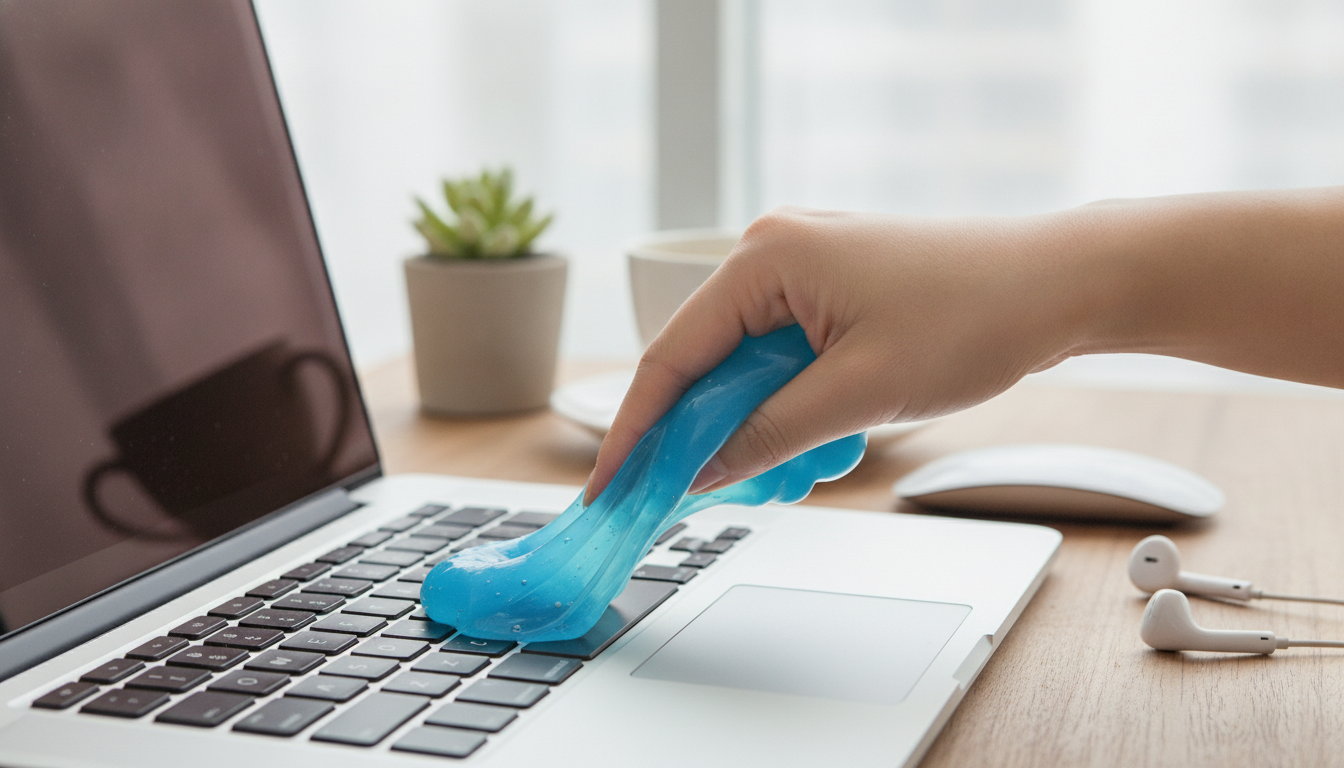
What Cleaning Gel Is and Where It Works Best
Cleaning gel (sometimes called cleaning putty or dust gel) is a soft, moldable compound designed to conform to uneven surfaces and lift loose debris. Instead of pushing dust around, it presses into tiny crevices to pick up fine particles like crumbs, hair, lint, and dry grit—especially in places a cloth can’t reach. For more guidance, see [PDF] Developing an electric keyboard cleaner as an innovative ….
It works best in tight, detailed areas such as keyboard gaps, laptop seams, speaker grilles, and vent surrounds. In cars, it’s handy for air vents, cupholder edges, console buttons, and trim seams where dust builds up along corners. For further reading, see Leather seats – Subaru Outback Forums.
For best results, treat it as a “lift” tool. Use it to pull debris out of cracks, then follow up with a microfiber cloth on larger, flat areas. It’s not intended for absorbing liquids, tackling heavy grease, or scrubbing sticky residue.
How to Use It Without Making a Mess
A little technique goes a long way. Cleaning gel performs best when everything is dry and when it’s used with a gentle press-and-lift motion.
- Start clean and dry: Wash and dry hands. Make sure the surface is dry—moisture can reduce tack and increase the chance of smearing.
- Pinch, knead, press: Pull off a small portion, knead it briefly, then press into the area and lift straight up. Avoid dragging across delicate finishes.
- Use light pressure on electronics: Let the gel conform naturally rather than forcing it into openings (especially around vents and speaker grilles).
- Fold to refresh the surface: As it collects debris, fold the gel to expose a cleaner side. Stop using once it looks heavily soiled.
- Seal it up after use: Store it in its container with the lid fully closed to slow drying and keep it ready for quick touch-ups.
Cars: Fast Touch-Ups for Vents, Consoles, and Buttons
Car interiors collect dust constantly—especially around textured plastics and frequently used controls. Cleaning gel makes quick work of the areas that are annoying to detail by hand.
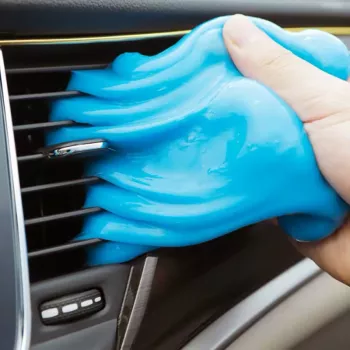
- Air vents: Lightly press the gel into the slats, then lift. This helps remove dust buildup without blowing it deeper into the vent channels.
- Dashboard seams and infotainment buttons: Dab around edges and corners to pull debris out of tight outlines and button borders.
- Cupholders and console trim: Press into textured plastic and along trim seams to lift grit from grooves.
- Temperature matters: Avoid using gel on hot surfaces. If the car has been sitting in the sun, let the interior cool so the gel stays firmer and easier to control.
Laptops and Keyboards: Safer Use Around Electronics
Electronics benefit from dry cleaning methods because liquids can creep into openings and cause damage. Cleaning gel is useful here, as long as it’s used lightly and carefully.
- Power down first: Shut down and unplug laptops and keyboards before cleaning. Remove peripherals when possible.
- Keyboard keys: Use a press-and-lift motion between keys. Avoid trying to force gel under keycaps or into deeper mechanisms.
- Trackpad and palm rest edges: Dab along seams to lift lint that collects along the edges.
- Vents and speaker grilles: Use minimal pressure and don’t pack the gel into openings. The goal is to lift surface dust, not plug holes.
- Finish clean: Use a dry microfiber cloth to wipe fingerprints from solid surfaces—keep moisture away from ports, vents, and key gaps.
What to Avoid (So the Gel Doesn’t Leave Residue)
Cleaning gel is straightforward, but a few “don’ts” help prevent smears, snagging, or residue—especially on sensitive materials.
- Wet surfaces or fresh spills: Don’t use gel on damp areas or over liquid residue. It won’t absorb liquid and may smear.
- Oily protectants: Avoid areas treated with oils or silicone dressings, where gel can glide and leave traces instead of lifting cleanly.
- Porous materials: Skip unfinished wood, fabric, and suede-like trims. The gel can snag or leave bits behind.
- High heat: Heat can soften gel too much, making it stickier and harder to control (like dashboards in direct sunlight).
- Delicate coatings and screens: Don’t rub aggressively on screens or coated surfaces. Use screen-safe tools designed for displays.
Quick Comparison: Gel vs. Common Cleaning Tools
Choosing the Right Tool for the Job
| Task | Cleaning Gel | Microfiber Cloth | Soft Brush | Compressed Air |
|---|---|---|---|---|
| Between keyboard keys | Excellent (press & lift) | Limited | Good (may scatter dust) | Good (may push debris inward) |
| Car air vents | Excellent (dab into slats) | Limited | Good | Good (may blow dust into cabin) |
| Dashboard and trim surfaces | Good for seams only | Excellent | Good | Not ideal |
| Laptop vents/speaker grilles | Good (light pressure only) | Limited | Good (gentle) | Good (use carefully) |
Storage, Lifespan, and Hygiene
A Handy Option to Keep in the Glove Box or Desk Drawer
- Cleaning Gel for Dust Removal in Cars, Laptops, and Keyboards
- High-Pressure Portable Bike Floor Pump 160 PSI with Dual-Valve Head (a practical add-on for a commute-ready kit)
FAQ
Can cleaning gel be used on laptop keyboards safely?
Yes—power down and unplug first, then use a gentle press-and-lift motion between keys. Avoid forcing gel into openings or under keycaps, and stop immediately if you notice any residue.
Does cleaning gel damage car interior plastic or buttons?
It’s generally safe on hard, dry plastics when used with light pressure. Avoid hot surfaces, porous trims, and oily protectants that can cause smearing; if unsure, test a small hidden spot first.
How long does cleaning gel last once opened?
It depends on how often it’s used and how dirty the surfaces are. Stored sealed, it can last through many cleanups, but it should be replaced when it looks dirty, loses tackiness, or starts smearing.
Recommended for you

Hot Air Balloon Rides for 1-Year-Olds: Is It Safe?
Jun 23, 2026












Leave a comment