-
Shop
- Advanced Technologies
- AI Career Advantage Collection
- AI Skills Mastery 2026 Collection
- Arts, Crafts & Hobbies
- Bathroom
- Best-Sellers
- Car Accessories
- Dating & Social Skills
- Denim
- 7FOR
- AGOLDE
- Antony Morato
- Armani Exchange
- Boss
- Brunello Cucinelli
- Calvin Klein Jeans
- Costume National
- Desigual
- Diesel
- Dolce & Gabbana
- Dsquared²
- Ermanno Scervino
- Fendi
- Gianni Lupo
- Guess Jeans
- Ichi
- Just Cavalli
- Lee
- Levi's
- Liu Jo
- Morgan De Toi
- Mother Denim
- Only
- Pepe Jeans
- Pinko
- Replay
- Valentino
- Vero Moda
- Digital Resources
- Education & Learning
- Family & Parenting
- Fashion
- Furniture
- Gadgets
- Health & Beauty
- Health & Wellness
- Home & Garden
- Kids & Babies
- Kitchen
- Lighting
- Patio, Lawn & Garden
- Personal Growth
- Pet Care
- Pet Supplies
- Pets
- Sport & Outdoors
- TikTok Growth & Monetization Mastery
- Travel
- Wealth
- Popular
- Best deals
Stop AI Overpolish: Keep a Real Writing Voice

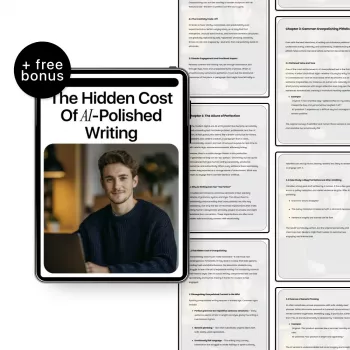
The Hidden Cost of AI-Polished Writing: Keeping Your Voice While Using Modern Tools
AI can smooth rough edges fast—sometimes so fast that the writing loses the very traits readers come for: specificity, texture, and a recognizable voice. The tradeoff isn’t always obvious in a single paragraph. It shows up over time: drafts start sounding “correct” but interchangeable, confident but oddly noncommittal. Below is a practical guide to spotting overpolish early and building a workflow that keeps content credible, human-centered, and unmistakably yours.
What “AI-Polished” Writing Looks Like (and Why It Spreads)
AI-polished writing often reads like it’s been gently sanded down on every edge. The tone is uniformly upbeat. Transitions are tidy. Paragraphs march forward in the same rhythm. Advice stays broad enough to avoid controversy, which also means it rarely risks a clear claim.
This style spreads because most models optimize for coherence and safety. Neutral phrasing is rewarded. Specific judgments get softened. When you ask for “more professional” or “more engaging,” the output can drift toward an averaged-out voice that feels familiar—because it resembles thousands of similar drafts.
Creators adopt it for practical reasons: speed, consistency across channels, and lower friction when publishing frequently. Those benefits are real. The challenge is keeping the tool in the supporting role, instead of letting it become the author.
The Hidden Costs Creators Pay
The “too smooth” draft has a price tag, even when it performs well on quick scans.
- Voice dilution: Repeated smoothing removes quirks, edge, humor, and personal cadence. Readers stop recognizing the person behind the words.
- Trust erosion: Content that sounds “too perfect” can read as generic or evasive—especially around health, money, identity, or ethics.
- Lower memorability: When phrasing becomes interchangeable with thousands of similar posts, it’s harder to recall, quote, or share.
- Brand drift: Over time, creators may unconsciously adapt their real voice to match the tool’s output, narrowing their range.
- Decision paralysis: Endless polishing encourages tinkering rather than shipping. Clarity gets replaced by sheen.
One useful lens: clarity should reduce confusion, not reduce personality. If edits consistently remove specificity, they’re not “improving” the work—they’re sterilizing it.
Where Overpolishing Hurts Most (and Where It Helps)
Overpolish is most damaging where the point of the piece is perspective.
- High-risk areas: personal essays, founder stories, opinion pieces, and community-facing updates where distinct judgment matters.
- High-stakes areas: product promises, testimonials, and ethical claims. An overconfident, polished tone can outpace the evidence and create compliance headaches.
Where AI helps (often dramatically): grammar cleanup, structure suggestions, readability improvements, and summarizing long internal notes into a workable draft. A helpful north star is the “support clarity, don’t replace accountability” rule—tools can improve expression, but lived experience and responsibility still belong to the writer.
For a grounded view of how large language models behave and why they tend toward safe generalities, see the OpenAI GPT-4 Technical Report. For a complementary perspective on how tone functions in user-facing writing, Nielsen Norman Group’s guidance on tone of voice in UX writing is a strong reference point.
Quick Diagnostic: Is Your Draft Too Smooth?
Symptoms of Overpolished Writing and Simple Fixes
| Symptom | How it shows up | What to change | Example tweak |
|---|---|---|---|
| Generic authority tone | Confident claims with few specifics | Add constraints, examples, and what you’d do differently | “This works for most creators” → “This worked in my weekly newsletter after 6 issues—and failed on social posts.” |
| Overly smooth transitions | Every paragraph glides without friction | Keep one “hard turn” with a blunt takeaway | “Additionally…” → “Here’s the uncomfortable part:” |
| Lack of sensory detail | No scene, setting, or lived texture | Insert one real moment or observation | “People feel burned out” → “Staring at the cursor at 11:47 p.m., shoulders tight, trying to sound ‘professional’.” |
| Advice without tradeoffs | Only benefits, no costs | Name the downside and the boundary condition | “Use AI to save time” → “Use it for outlines; avoid it for personal stories where tone carries trust.” |
A Human-Centered Workflow That Still Uses AI
- Start with human inputs: Record a voice note, write messy bullets, or draft a story fragment first. Then use AI to organize—not invent.
- Write a “voice anchor” paragraph: One paragraph written without tools becomes your tonal reference. If the rest of the piece can’t sit next to it without sounding like a different person wrote it, revise.
- Limit polishing passes: One pass for structure, one for clarity, one for proofreading. Stop before the draft becomes uniform.
- Keep a personal style sheet: preferred sentence length, taboo phrases, humor boundaries, and signature turns of phrase (including words you actually use in conversation).
- Add credibility cues: sources, numbers, counterexamples, and explicit uncertainty when appropriate. Google’s guidance on helpful, reliable, people-first content aligns with this: real experience and clear sourcing beat generic polish.
When Authentic Voice Becomes a Competitive Advantage
Recommended Reads (Digital Guides)
A Deeper Guide for Creators Who Want Clarity Without Losing Their Voice
FAQ
How can AI be used without making writing sound generic?
Use AI for structure and clarity, but supply the raw material: original examples, constraints, and a voice-anchor paragraph you write yourself. Limit polishing passes and maintain a personal style sheet so the output converges on your voice instead of the model’s default.
What are signs that a piece has been overpolished?
Watch for uniform cadence, vague nouns, confident but unsupported claims, overly smooth transitions, and advice that never names tradeoffs. A quick read-aloud plus a specificity check (numbers, dates, places, concrete moments) usually reveals the problem fast.
Does a more “human” draft need to be messy or unedited?
No—clarity and humanity can coexist. Edit to remove real errors and confusion, but keep specificity, stakes, and perspective intact so the piece still sounds like a person with lived context rather than a perfectly neutral narrator.














Leave a comment