-
Shop
- Advanced Technologies
- AI Career Advantage Collection
- AI Skills Mastery 2026 Collection
- Arts, Crafts & Hobbies
- Bathroom
- Best-Sellers
- Car Accessories
- Dating & Social Skills
- Denim
- 7FOR
- AGOLDE
- Antony Morato
- Armani Exchange
- Boss
- Brunello Cucinelli
- Calvin Klein Jeans
- Costume National
- Desigual
- Diesel
- Dolce & Gabbana
- Dsquared²
- Ermanno Scervino
- Fendi
- Gianni Lupo
- Guess Jeans
- Ichi
- Just Cavalli
- Lee
- Levi's
- Liu Jo
- Morgan De Toi
- Mother Denim
- Only
- Pepe Jeans
- Pinko
- Replay
- Valentino
- Vero Moda
- Digital Resources
- Education & Learning
- Family & Parenting
- Fashion
- Furniture
- Gadgets
- Health & Beauty
- Health & Wellness
- Home & Garden
- Kids & Babies
- Kitchen
- Lighting
- Patio, Lawn & Garden
- Personal Growth
- Pet Care
- Pet Supplies
- Pets
- Sport & Outdoors
- TikTok Growth & Monetization Mastery
- Travel
- Wealth
- Popular
- Best deals
Write a Standout LinkedIn Profile With AI (No Buzzwords)

Build a Magnetic LinkedIn Profile With AI: A Practical Guide for Job Seekers, Coaches, Creators, and Entrepreneurs
A strong LinkedIn profile works like a landing page: it communicates value fast, builds trust, and makes the next step obvious (message, follow, book a call, or interview). AI can speed up writing and polishing—but the best results come from combining clear positioning, real proof, and careful editing so the profile still sounds human and specific.
What “magnetic” looks like on LinkedIn
A magnetic profile doesn’t try to impress everyone. It makes the right person feel like they landed on exactly the right page.
- Clear positioning: the right people understand what you do within seconds.
- Proof over claims: metrics, outcomes, and context replace vague adjectives.
- Skimmable structure: short paragraphs, bullets, and strong first lines.
- Consistent story: headline, About, and Experience reinforce the same direction.
- Easy next step: one call to action that matches your goal (apply, connect, book, inquire).
Set the goal before writing anything
AI can help you write faster, but it can’t choose your lane for you. Decide what “success” means for your profile right now.
- Pick one primary outcome: job interviews, inbound leads, partnerships, speaking, or audience growth.
- Define the target reader: role + industry + seniority + what they care about.
- Choose one core offer/lane: the specific problems you solve (not everything you can do).
- Decide what to emphasize: depth (specialist) vs. breadth (generalist) based on the goal.
- Collect raw inputs for AI: achievements, projects, metrics, testimonials, portfolio links, and the terms your audience uses (titles, tools, outcomes).
Use AI as a drafting partner, not a voice replacer
The most credible AI-assisted profiles start with real facts. Think “organize and refine,” not “invent and inflate.”
- Start with bullet facts: feed AI wins, numbers, tools, and examples first.
- Require specificity: ask for quantified results, named tools, and concrete deliverables.
- Control tone: professional, confident, natural—skip hype and buzzword stacks.
- Edit for credibility: remove anything you can’t defend in an interview or sales call.
- Run a “human pass”: simplify sentences, add personal context, and make it sound like you.
AI-ready blueprint for each profile section
When each section has a job to do, your profile becomes easier to write—and easier to trust.
Quick checklist by section
- Photo & banner: align visuals with the goal (role-focused for job search; offer-focused for business).
- Headline: role/target + value + proof or specialty (not just a title).
- About: who it’s for + problem solved, then proof, then approach, then CTA.
- Experience: outcomes, scope, tools, impact—each role as a mini case study.
- Featured: portfolio, booking link, lead magnet, or best proof posts.
- Skills: prioritize what matches the goal; remove duplicates and noise.
- Recommendations: ask for specifics—outcomes, collaboration style, and results.
- Creator/entrepreneur elements: clarify offers, add social proof, make contact paths simple.
Profile Sections: What to Provide vs What AI Should Produce
| Profile section | Provide to AI (raw inputs) | Ask AI to generate (draft output) | Final edit checklist |
|---|---|---|---|
| Headline | Target role/audience, top 2 strengths, one proof point | 3–5 headline options in different styles (role-first, outcome-first, niche-first) | No fluff, readable at a glance, matches the next step |
| About | Career/offer summary, 2–3 wins with numbers, values, CTA link | A 4-part About: hook, proof, approach, CTA (2 lengths) | Sounds human, includes specificity, skimmable paragraphs |
| Experience | Role scope, projects, metrics, tools, stakeholders | Impact bullets using action + scope + outcome + metric | Truth-checked numbers, consistent tense, minimal jargon |
| Featured | Best links/posts, portfolio, lead magnet/booking page | Short captions that explain why each item matters | Each item supports the main positioning |
| Recommendations | Who to ask, projects together, outcomes, themes to mention | A recommendation request message template | Specific prompts included; avoids generic praise |
Headline formulas that work across goals
Your headline is the fastest credibility filter on the page. Aim for “clear and defensible,” not “clever and crowded.”
Write an About section that converts without sounding scripted
For platform-specific formatting and edits, LinkedIn’s own guidance can help: LinkedIn Help Center: Edit your Profile.
Turn Experience into evidence (not a job description)
If you want a simple way to sanity-check completeness, LinkedIn also explains profile strength signals here: LinkedIn Help Center: Your Profile Strength.
Common AI profile mistakes and how to fix them fast
A simple refresh routine to keep the profile working
Editable digital guide to build faster with fewer rewrites
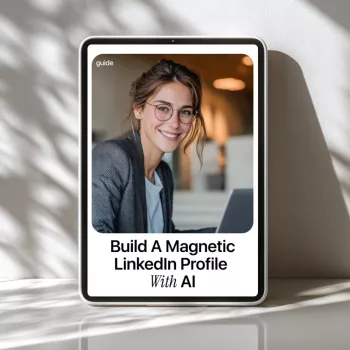
- Build a Magnetic LinkedIn Profile With AI – Professional LinkedIn Guide for Job Seekers, Coaches, Creators & Entrepreneurs | how to use ai to write a linkedin profile | Editable Digital Download (digital download)
- Ready for Winter Ready for Anything – Winter Sport Gear Basics eBook, Complete Cold Weather Gear Guide, Layering & Equipment Checklist for Winter Sports (digital download)
For additional platform best practices, LinkedIn’s business team also shares practical profile guidance: LinkedIn Marketing Solutions: LinkedIn Profile Tips.
FAQ
Can AI write my LinkedIn profile without making it sound generic?
Yes—when AI starts from specific inputs (wins, metrics, tools, niche) and you edit the draft to remove buzzwords, add context, and match your real voice.
What part of a LinkedIn profile matters most for getting replies?
The top section (headline plus the first lines of your About) creates clarity and credibility fastest; Experience and Featured then provide proof that supports your claim.
How often should a LinkedIn profile be updated?
Small updates monthly and deeper refreshes quarterly work well. Update immediately after meaningful wins, role changes, or when your goal shifts (job search vs. clients).













Leave a comment